
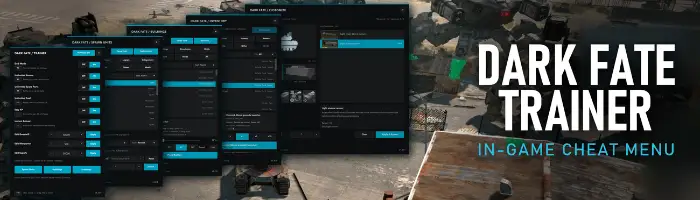
Dark Fate Trainer
In-game cheat menu
An in-game trainer for Terminator: Dark Fate – Defiance (single-player): god mode, unlimited ammo, spare parts and fuel, campaign resource editing and a unit spawner. No extra program to run.
Features
Open the panel with F10. Every hotkey can be rebound in-game.
Your units take no damage.
Your units’ ammunition stays full.
Repair spare parts stay full.
Vehicle and helicopter fuel stays full.
Your units gain XP 25x faster
Your units weapons reload instantly.
Set campaign resources for the current campaign.
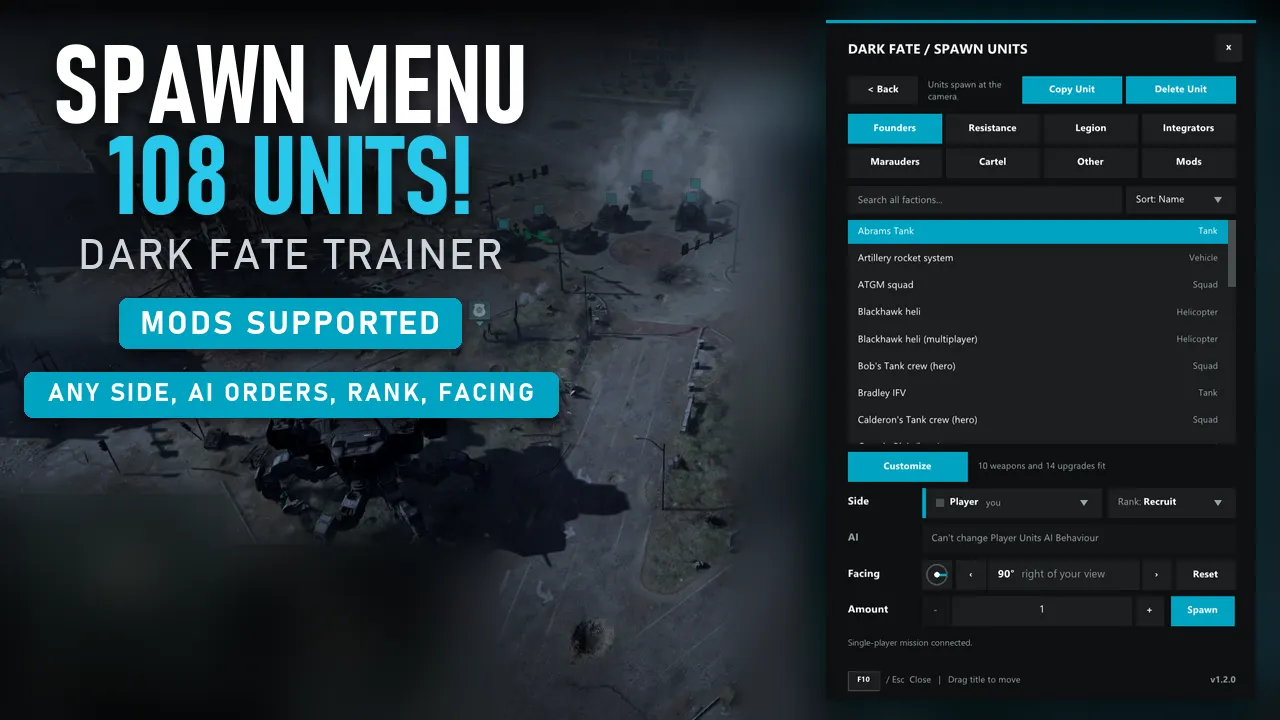
Spawn units next to your forces.
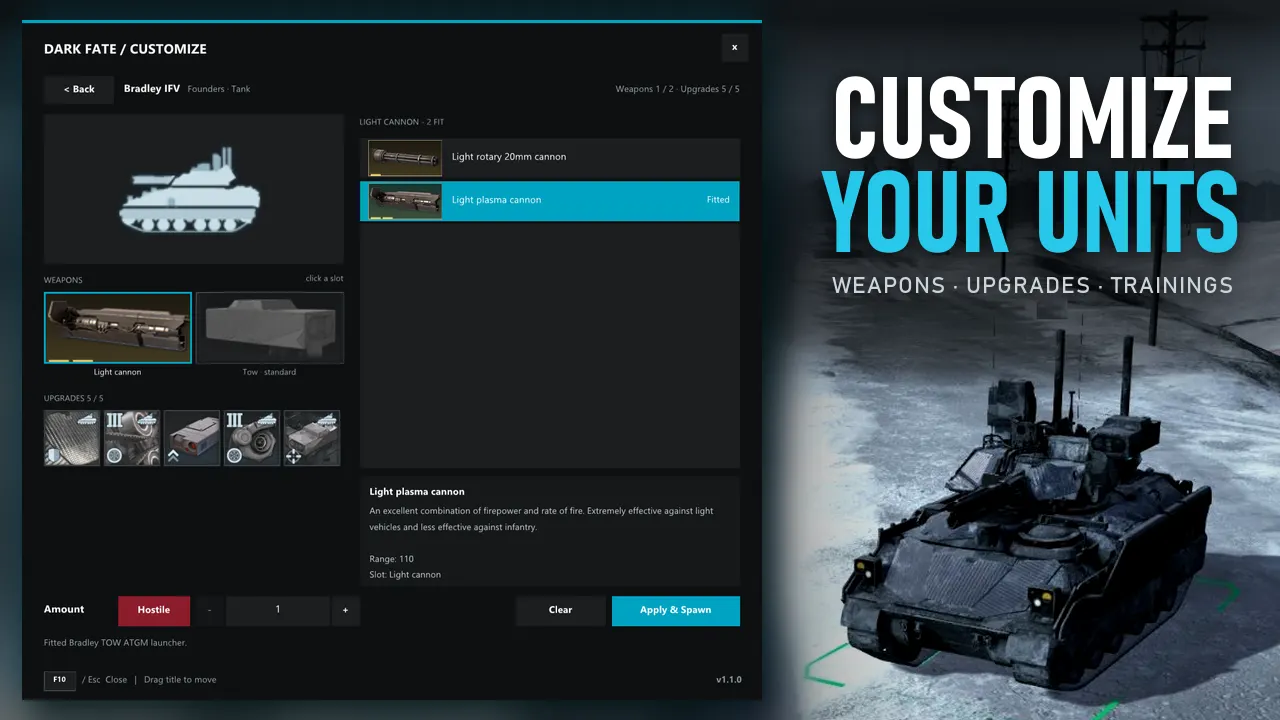
Customize the units before you spawn them.
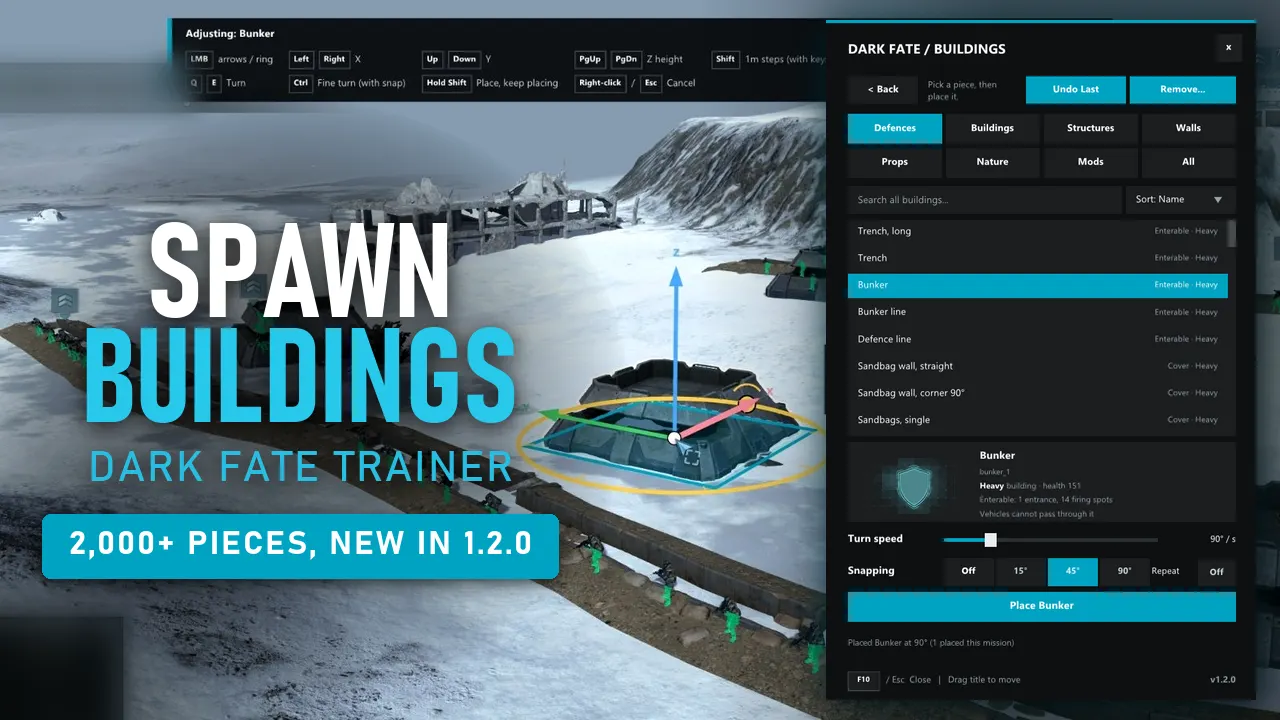
Over 2,000 of the game's buildings, defences, walls, trenches, props and trees, in tabs (Defences, Buildings, Structures, Walls, Props, Nature, Mods, All) with search.
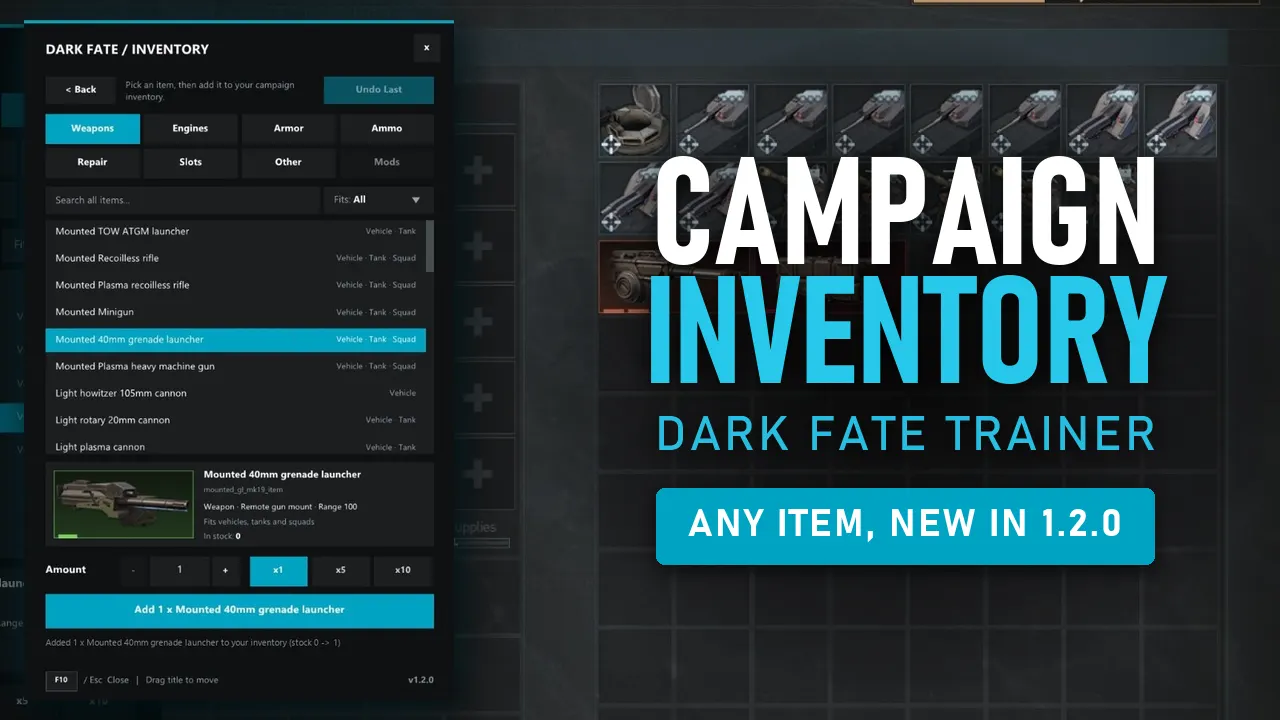
Add any weapon, upgrade or item from the game to your campaign stock, 1-99 at a time
Install
- Open the game's folder. Steam: Right-click the game in Library, then choose Manage > Browse local files. GOG: Right click game in Owned Games, Manage Installation > Show Folder.
- Copy the
binfolder from this download into the game folder. If Windows asks to merge or replace, choose Yes. - Start the game and press F10 once you’re in.
Uninstall
winhttp.dll and the DarkFateTrainer folder from the game’s bin folder.Changelog
v1.2.2update
- Addedlanguage selection (globe button at the top of the trainer): Language support: 🇬🇧 English, 🇷🇺 Русский, 🇺🇦 Українська, 🇨🇳 简体中文, 🇰🇷 한국어, 🇫🇷 Français, 🇩🇪 Deutsch, 🇪🇸 Español, 🇹🇷 Türkçe. On first start the trainer follows your Windows language if it is one of these. (some wording may be odd or wrong. Corrections are welcome in Posts!)
- FixedCustomize now lists mod upgrades that use their own upgrade types.
- FixedIf two upgrades add the same weapon slot, you can fit one at a time; the other is greyed (“Not with ...”) until you take the first off.
- FixedBuilding placement sometimes gave the wrong error message.
v1.2.1Update
- AddedRemove mode removes any building under the cursor, the map's own buildings included (removed map buildings doesn't remove their pathfinding box around them).
- AddedEvery removal can be undone with Undo Last, map buildings included (placing and removing share one Undo history).
- AddedThe trainer remembers the pieces you placed (upto 10,000), so after loading a save Remove still knows which ones are yours.
- FixedRemove and Undo are faster.
- FixedBuildings and structures now block units from walking through them.
v1.2.0aHotfix
- FixedIntegrator buildings were missing from the build list
v1.2.0Update
- AddedBuildings page: place over 2,000 of the game's buildings, defences, walls, trenches, props and trees in a mission (tabs Defences, Buildings, Structures, Walls, Props, Nature, Mods, All).
- AddedBuilding placement with a live preview that follows the mouse; turn it with Q / E or a rotation ring, with optional Snapping; the camera still turns and zooms while placing.
- AddedAdjust mode: move a placed preview with the arrow keys and change its height (up to 200 m sideways, 100 m up), then Place Object.
- AddedBuildings added by mods are listed on the Buildings page's Mods tab.
- AddedInventory page (campaign map): add any weapon, upgrade or item from the game to your campaign stock (Amount 1-99), with tabs, search, a Fits filter, the item's picture and details, and Undo Last.
- AddedItems added by mods are listed on the Inventory page's Mods tab.
- AddedFacing in the spawner, spawned units face the direction you pick.
- AddedFaction filter on the spawner's Mods tab: show only the mod units meant for one faction.
- AddedHotkeys On / Off in the main page's title bar: Off turns every cheat hotkey off (the panel key still works).
- AddedMods changed warning: after changing mods in the game's Mod Manager, an amber line and message say to close the game and start it again (the Mod Manager's restart keeps the game's old unit lists, so spawned vehicles could come without crew).
- FixedA double-click on a Sort option no longer spawns or places the row under it.
- FixedSort lists close when the panel is opened again.
v1.1.5Update
- AddedSide drop-down in the spawner: spawn units for any team in the mission (yourself, allies, hostiles or neutrals).
- AddedAI orders for units that are not yours: Advance (moves on to the next enemy), Defend here or Hold.
- AddedRank at spawn: spawned squads, tanks, cars and helicopters start at the rank you pick, on every side.
- AddedCustomize shows every weapon slot, including any number of slots added by mods (the weapon area scrolls).
- AddedA greyed modded unit's tooltip names the campaign it belongs to.
- FixedIn skirmish, spawned units now join your own slot's side (they went to the blue slot's side).
- FixedExtra machine gun slots added by trainings (e.g. "+2 MG slots") now show up and can be fitted in Customize.
- AddedHidden slots (like hand grenades) no longer show up as tiles that can't be changed.
- AddedAfter switching mods without restarting, a spawn that would come out as a different unit is refused with a message.
v1.1.4Hotfix
- Addedworks with the GOG version of the game.
- FixedAdjustments to how the trainer interacts with the memory of the game.
v1.1.3Hotfix
- AddedThe trainer now also loads other mods' DLL plugins from the bin\plugins folder (make one if not added by the mods). avoids winhttp.dll conflict.
v1.1.2Patch
- Added"Heavy Cannon 155mm" for the Carrier Platform
- AddedAugment kits in Customize
- FixedChinese item names showing as "????"
- Fixedsmall stutters when opening Customize and spawning several customized units
- FixedCustomize tiles now show what is fitted
v1.1.1Patch
- AddedMortar Humvee version in Customize.
- AddedTurret versions in Customize - Founders plasma cannon or rotary cannon; Legion cannon, vulcan, plasma cannon and their rocket/missile pairs.
- AddedChinese, Japanese and Korean localization tables should be detected by the Trainer and Spawner.
- FixedMod attachments not showing on the game's vanilla units correctly.
- FixedSpawning a unit the current campaign doesn't support (e.g. Elder Silas outside Canada DLC) gave a different unit; it is now greyed out and refused with a warning.
v1.1.0aHotfix
- FixedWindows cursor staying/flickering on screen after using the trainer menu (again).
v1.1.0Update
- AddedCustomize - pick weapons, upgrades and trainings for tanks, vehicles, squads and helicopters before spawning.
- AddedMod support - units, weapons, upgrades and trainings from your enabled mods.
- AddedMods tab in the spawner for units added by mods.
- AddedCopy Unit - select a unit in the game and copy its loadout into Customize.
- AddedHostile spawn mode - spawned enemies fight you with the game's AI.
- AddedEasy XP (- key) - your units gain XP 25x faster.
- AddedInstant Reload (= key) - your units' weapons reload almost instantly.
- AddedSort the spawner list by Name or Type.
- AddedSupport for the current Steam version (1.9.1223).
- AddedDifferent game versions don't restrict the trainer; If any files are not found, that feature is greyed out.
- ChangedUSA units moved to the Other tab (there was only 3 USA units)
- ChangedDefault keys - Unlimited Spare Parts F9, Unlimited Fuel F11.
- FixedGame crash on start-up with NVIDIA Smooth Motion turned on.
- FixedCamera kept moving if a key was held while clicking in the trainer.
- FixedEsc presses reaching the game after closing the trainer.
- FixedPossible game crash during refills on unusual unit data.
- FixedArmed versions of Kondo, Flinch and the Legion swarm, with customizable weapons
v1.0.1
- FixedMenu opens faster and more smoothly (setup now happens while the game loads).
- FixedUnit spawner list no longer jumps back to the top while scrolling or clicking.
- FixedHighlight on trainer rows not showing.
v1.0.0
- AddedFirst public release.
Screenshots
Support
Everything here is free
If a trainer saved you a few hours of grinding, a coffee keeps the updates coming, and an endorsement on Nexus helps other players find it.