
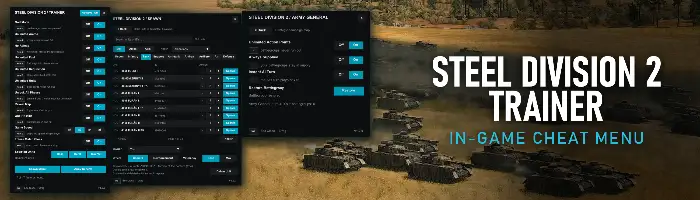
Steel Division 2 Trainer
In-game cheat menu
An in-game trainer panel for Steel Division 2: God Mode, Unlimited Ammo, No Reload, Unlimited Fuel, Requisition and Units, Unlock All Phases, Reveal Map, One-Hit Kills, Game Speed and Freeze Match Clock on hotkeys, Heal, Refill and Max Vet for your selected units, a Spawn Menu for any unit of any nation, and an Army General page for the strategic campaign. The game keeps running while the panel is open
Features
Open the panel with Insert. Every hotkey can be rebound in-game.
Your units take no damage and are never suppressed or routed.
Every weapon of your units stays full of ammunition.
Your vehicles and planes never run out of fuel.
Your Requisition is held at 99,999.
Phase B and C cards can be bought at once, for the rest of the battle.
No fog of war: every enemy unit and its icon shows.
Every hit by your units destroys the enemy unit it hits.
Steps the game speed x1, x2, x4, x8.
The match and phase clocks stop.
Heal, Refill or Max Vet for the units you have selected in the game.
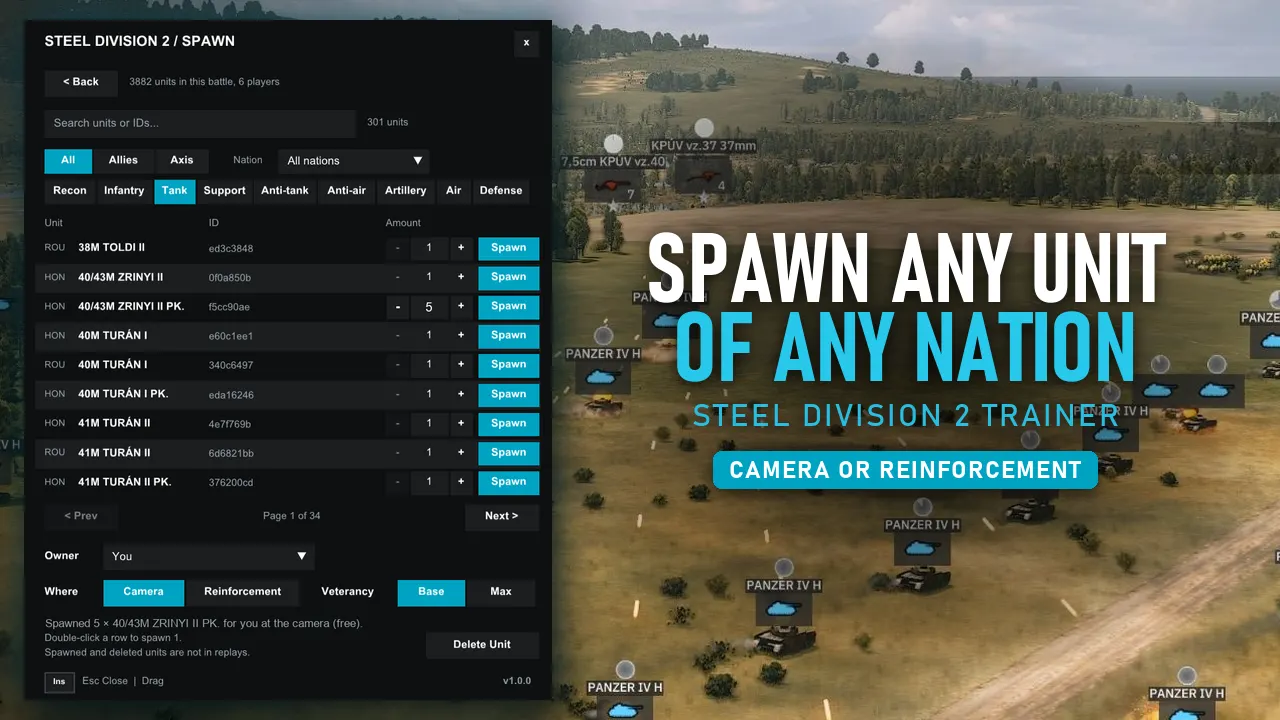
Any unit of any nation, 1 to 20 at a time, for you or an AI player, at the centre of your view or at the reinforcement point. Delete Unit removes selected units.
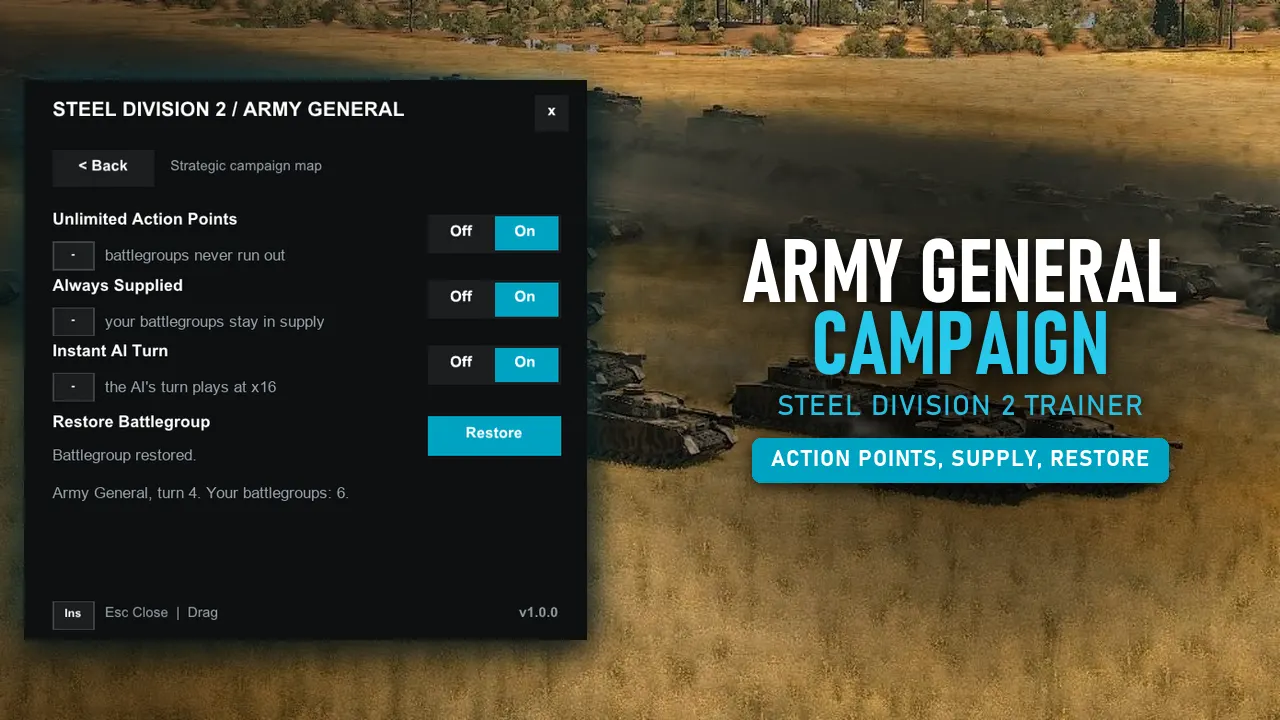
Your battlegroups never run out of action points on the strategic map.
Your battlegroups stay in supply on the strategic map, even when cut off.
The AI's turns on the strategic map play at x16.
Brings back the destroyed and disabled units of your selected battlegroup on the strategic map.
Install
- In your Steam Library, right-click Steel Division 2 and choose Manage > Browse local files (the folder with SteelDivision2.exe in it).
- Copy XINPUT9_1_0.dll and the SD2Trainer folder from this ZIP into that folder. If Windows asks to replace files, choose Yes.
- Start the game, open a battle or the Army General map and press Insert.
Single-player only: the trainer stays off in multiplayer. Made and tested on game build 168061; other versions work where the trainer finds what it needs, and SD2Trainer.log names anything it could not find. Back up your Army General saves first.
Uninstall
XINPUT9_1_0.dll and the SD2Trainer folder from the game folder. The trainer does not change any game files.Changelog
v1.0.0Release
- AddedFirst Release
Screenshots
Support
Everything here is free
If a trainer saved you a few hours of grinding, a coffee keeps the updates coming, and an endorsement on Nexus helps other players find it.