
Starship Troopers Trainer
In-game cheat menu
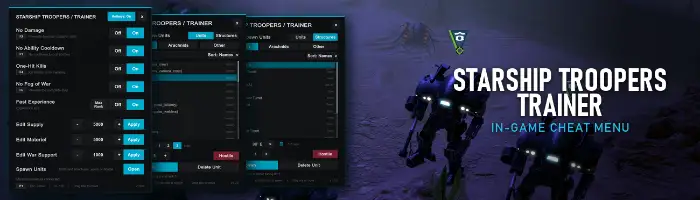
An in-game trainer for Starship Troopers: Terran Command: no damage, no ability cooldowns, one-hit kills, no fog of war, and editable supply, materiel and war support.
Features
Open the panel with F1. Every hotkey can be rebound in-game.
Prevents damage to player units.
No cooldown on unit abilities.
Kill enemy units instantly.
Reveals friendly and enemy units and the complete battlefield.
Set campaign resources directly.
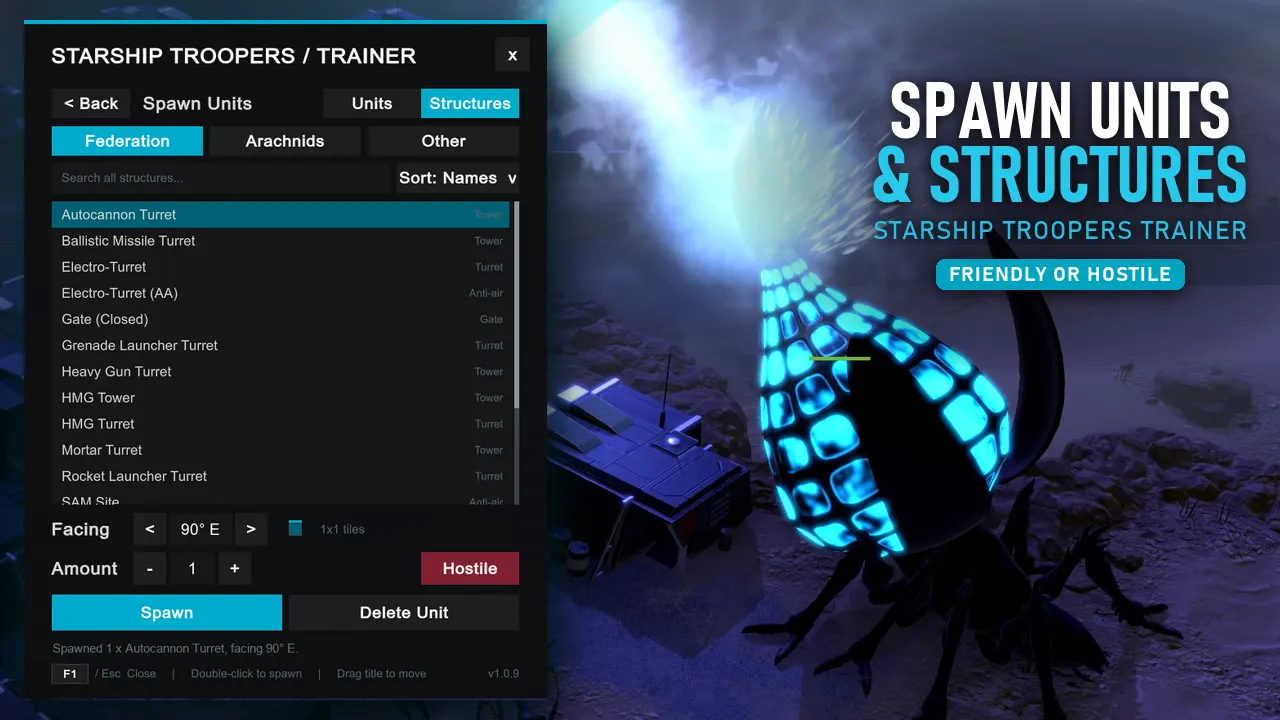
Spawns any Federation or Arachnid unit or structure where the camera is aimed, as your own or as a hostile one.
Your units earn experience 25 times faster. Max Rank (on the same row) sets the units you have selected to the top rank, unlocking their elite abilities.
Install
- Install MelonLoader into the game folder and launch the game once.
- Close the game and extract this ZIP into the game folder.
- Check that the trainer DLL sits directly inside the game’s
Modsfolder. - Launch the game, start or load a mission and press F1.
Changelog
v1.0.9Update
- AddedFast Experience: your units earn experience 25 times faster.
- AddedMax Rank button on the same row: sets the units you have selected to the top rank.
- AddedHotkeys: On / Off button in the title bar: turn the cheat hotkeys off. F1 and Esc still work, and the setting is kept between launches.
- AddedSpawn Units now spawns structures too: switch between Units and Structures at the top of the spawner.
- AddedStructures can be rotated before you place them, with a small footprint picture showing which way they face.
- AddedSpawn rank: spawn units already ranked up (0 to 3 stars).
v1.0.8Update
- AddedSpawn Menu - Spawns any Federation or Arachnid unit where the camera is aimed, as your own unit or as a hostile one
- FixedThe trainer panel now fits smaller screens such as 1280x720.
- FixedMelonLoader's log now shows the correct trainer version.
v1.0.7
- ChangedCheats you have not switched on no longer hook into the game, and the ones you use run faster.
- ChangedSwitching No Fog of War causes a much smaller pause on large maps.
v1.0.6
- AddedThe menu row under your mouse is highlighted with a soft cyan fade and an accent bar.
v1.0.5
- AddedTooltips on feature names.
- AddedEditable hotkeys: click a key box and press a new key. If the key is taken, the two features swap.
Screenshots
Support
Everything here is free
If a trainer saved you a few hours of grinding, a coffee keeps the updates coming, and an endorsement on Nexus helps other players find it.